

Last Updated: October 29, 2026
Quick Summary
The best apps for measuring body size accurately depend on your goal: a tape measure with a logging app suits clothing fit, camera-based 3D scanners such as Bodymapp and MeThreeSixty suit visual change tracking, and smart scales suit weight and composition trends. No single app is accurate for every purpose, so consistent measuring methods matter more than the brand you choose.
- Use a tape measure for clothing fit, since it gives the most reliable linear distances.
- Camera-based 3D scans work best for watching shape change across several scans.
- Take readings under the same conditions, such as the same time of day and clothing.
- Check privacy policies, since scan photos and health data may be stored in the cloud.
- Confirm what free tiers include before paying for a subscription or scanning tool.
Table of Contents
- How We Tested and Ranked These Apps
- Quick Comparison: Top Body Measurement Apps at a Glance
- 3D Body Scanner App Accuracy: What the Scans Can and Cannot Tell You
- How to Measure Your Body for Clothing Fit Before You Buy
- Body Measurement Trackers for Weight Loss and Progress
- Privacy, Photo Security, and Subscription Costs to Check First
- Choosing the Right App for Your Goal
- Booking Your Next Fit Step With ETHOS CONCEPT
- Frequently Asked Questions
9 Best Apps for Measuring Body Size Accurately
How We Tested and Ranked These Apps
Choosing among the best apps for measuring body size accurately is harder than it looks, because most listings describe features and skip the question that matters most: will the numbers hold up? We built this list around that question, so it is the first thing we explain.
We reviewed body measurement apps across three categories: manual tape-based loggers, smartphone and smart-device scanners, and connected smart scales. For each one, we looked at how the measurements are captured, what the app does with them over time, what it costs, and what it asks you to share. We did not run controlled accuracy trials, so this ranking does not claim lab-grade precision for any app.
Our ranking criteria were straightforward:
- Measurement method: whether the app relies on you, a camera, or a sensor
- Repeatability: how easily you can take the same measurement again under the same conditions
- Tracking: whether history, charts, and trends are built in
- Cost: what is free, what requires a purchase, and what requires a subscription
- Privacy: what kind of data and images the app collects
One practical point shapes every recommendation below. A measurement app is only as good as the consistency of the person using it. Taking the same measurement at the same time of day, in the same clothing, with the same tape placement, usually matters more than the brand of app you pick.
Quick Comparison: Top Body Measurement Apps at a Glance
Prices can change, so confirm current pricing in each app before you commit.
| App | Measurement Method | Starting Price | Best For |
|---|---|---|---|
| ETHOS CONCEPT | Not a measurement app | Not applicable | Shopping for the clothing fit your measurements support |
| ZOZOFIT | Proprietary scanning suit and app | $99.00 (one-time) | Visual 3D data over tape measuring |
| MeThreeSixty | Smartphone camera 3D scan | Free | No-hardware 3D body tracking |
| Eufy Smart Scale P2 Pro | Smart scale (bioelectrical impedance) | $79.99 (one-time) | Weight plus body composition |
| Withings Body Comp | Smart scale with health metrics | $199.95 (one-time) | Detailed composition and heart data |
| Renpho Smart Body Scale | Smart scale | $25.99 (one-time) | Budget body composition tracking |
| Garmin Index S2 | Smart scale | $149.99 (one-time) | Existing Garmin users |
| Bodymapp | Smartphone 3D scan | Free | Visual change tracking over time |
| Spren | Computer vision estimate | Free | Body fat focus |
| Body Measurement & Weight Loss (Selanto Apps) | Manual entry | Free | Tape measure users who want simple logging |
Read the table as a starting point, not a verdict. An app that is "free" may carry ads or limit features, and an expensive scale may offer metrics you never use.
3D Body Scanner App Accuracy: What the Scans Can and Cannot Tell You
Smartphone and hardware 3D scanners are the most visually appealing option, and they are also the easiest to over-trust. A 3D model is good at showing shape and how that shape changes across weeks or months. It is less reliable for an exact single number, especially when the scan depends on lighting, background, or how tightly you are dressed.
Most competing roundups mention accuracy without explaining what accuracy means for each capture method. Here is the distinction that matters: circumference tape measurements, camera-based 3D scans, and bioelectrical impedance scales measure different things, and each has a different failure mode.
- Tape and manual circumference: Reliable for a single linear distance (waist, hip, chest) when the tape is level and snug. The error comes from the user, not the tool: tape placement, posture, and whether you exhale fully can each shift a waist reading by a noticeable margin. Repeatability is high if you follow the same protocol.
- Camera-based 3D scans (MeThreeSixty, Bodymapp): Estimate a body surface from photos and infer circumferences from that surface. They are strong for shape change and visual comparison, but a cluttered background, uneven light, loose clothing, or a camera angle that differs between scans can shift the inferred numbers. Treat the output as a trend line, not a tailoring spec.
- Proprietary scanning suits (ZOZOFIT): The suit reduces clothing and background variation, which can improve consistency, but it still depends on you standing the same way each time.
- Bioelectrical impedance scales (Eufy, Withings, Renpho, Garmin): Estimate body composition by sending a small current through the body. Readings shift with hydration, so a morning weigh-in after waking and before eating is more repeatable than an evening one.
A common mistake is comparing one scan to a single tape measurement and deciding which is "correct." They are not measuring the same thing in the same way. Instead, use the scanner to watch trends. If your waist shape changes steadily across several scans taken under the same conditions, that pattern is more useful than any one reading.
Key Takeaway
Match the method to the question. Use tape for a number you will act on today (clothing fit), a scanner for shape change over weeks, and a smart scale for weight and composition trends. No single app is accurate for all three.
If you want a repeatable protocol you can apply to any of these methods, see the measurement guidance in the next section.
How to Measure Your Body for Clothing Fit Before You Buy
Accurate measurements matter most when you are buying clothing, and this is where a simple tape measure still beats most apps. Measure over light clothing or underwear, keep the tape level and snug without compressing the skin, and take each measurement twice to confirm it.
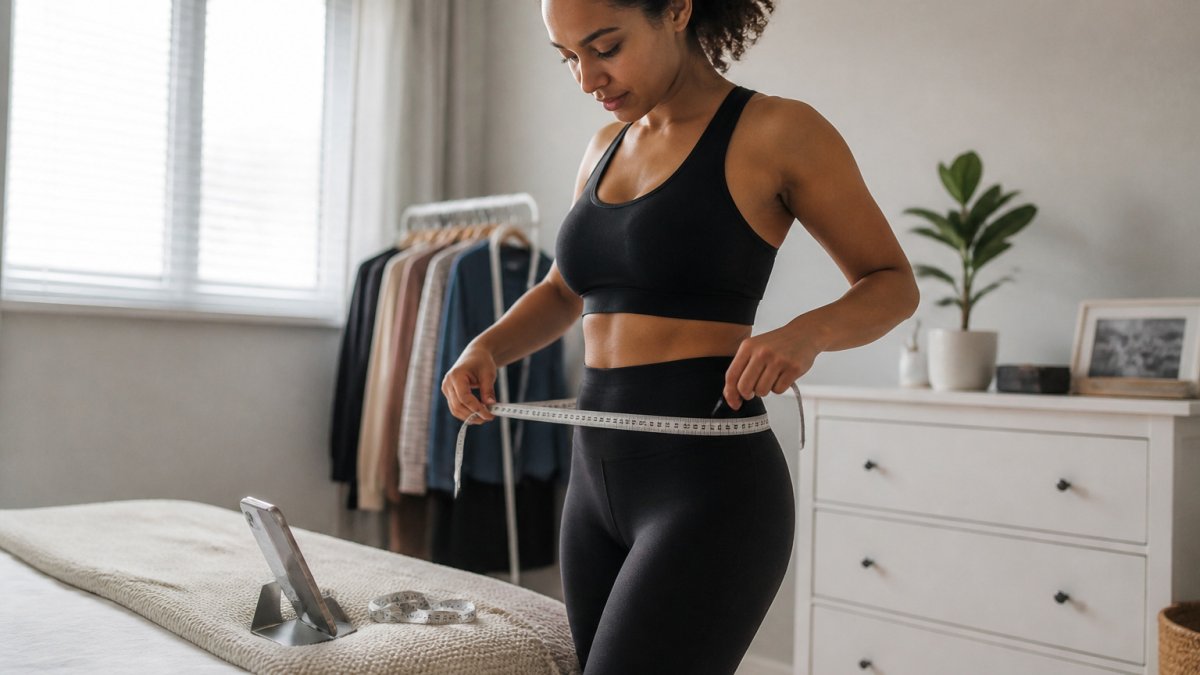
The core measurements most clothing charts ask for are:
- Bust: around the fullest part of the chest, keeping the tape parallel to the floor
- Waist: around the natural waistline, the narrowest point above the navel
- Hips: around the widest part of the hips and seat
- Inseam: from the crotch seam down to the ankle along the inside of the leg
Brand size charts differ, so match your measurements to the specific chart rather than assuming a standard size. Our guide on how to interpret clothing size charts correctly walks through reading each chart against your numbers.
Body Measurement Trackers for Weight Loss and Progress
If your goal is to track change over time, a logging app or smart scale does more work for you than a one-off scan. Manual loggers like the Selanto app let you record waist, hip, and limb measurements alongside weight and BMI, and they chart the trend. They rely entirely on your consistency, but they cost nothing and need no hardware.
Smart scales add weight and body composition metrics with almost no effort, because they record automatically when you step on. The Eufy Smart Scale P2 Pro and Renpho Smart Body Scale are the value options, and the Withings Body Comp adds cardiovascular metrics at a higher price. Body composition readings from bioelectrical impedance can shift with hydration, so weigh yourself at a consistent time, such as after waking and before eating, and look at weekly averages instead of daily numbers.
Privacy, Photo Security, and Subscription Costs to Check First
Body scan apps often ask for photos, body dimensions, and health data, which makes privacy a real concern. Most competing lists skip this entirely or reduce it to a one-line warning. This section compares the practical differences so you can decide before you install anything.
Where your data lives. Manual loggers such as the Selanto app keep entries on your device, which means no photos leave your phone. Camera-based scanners (MeThreeSixty, Bodymapp) and smart scales (Eufy, Withings, Renpho, Garmin) typically sync to a cloud account so you can see history across devices. Cloud storage is convenient but means your images and measurements sit on a server you do not control.
What gets shared. Smart scales commonly sync to Apple Health, Google Fit, or Fitbit, and some scanners offer export to fitness platforms. Each integration is a permission you grant. Review the list and turn off anything you do not actively use. A scale that pushes weight and body composition into a health platform is sharing more than a number.
Photo-specific risks. Progress photos and scan images are more sensitive than a weight entry because they can identify you visually. Look for apps that let you delete individual scans, that state a retention period in the privacy policy, and that do not use your images for model training by default. If a policy is vague about deletion, assume the image stays until you ask.
Free-tier limits and subscription costs. Several apps are freemium, and the free tier often covers basic logging while advanced scans, reports, or data export sit behind a paid plan. Before committing, confirm what the free tier actually includes: number of scans per month, history length, export options, and whether ads appear.
Device and OS requirements. Camera scanners need a reasonably recent phone with a working camera and enough storage for scan files. Smart scales need Bluetooth and the vendor's app, and some features are tied to a specific operating system or wearable ecosystem. Check compatibility before you buy hardware.
Watch Out
Read the developer's privacy policy rather than relying on the app store summary. If you are unsure, a manual logging app keeps your data on your own device and avoids photos entirely.
For a broader comparison of how tracking tools fit into a clothing-buying decision, see our guide on how to calculate the true cost of clothing as your measurements change.
Choosing the Right App for Your Goal
The best app depends on what you are trying to do. Match the tool to the job:
- To buy clothing that fits: a tape measure plus your brand's size chart beats any app. Use a logger to save the numbers.
- To track visual change: choose a 3D scanner such as Bodymapp or MeThreeSixty, and scan under the same conditions each time.
- To track weight and composition together: a smart scale like the Renpho or Eufy gives automatic daily data at low cost.
- To stay on a tight budget: start with a free manual logger and add a scanner only if you need visuals.
- To use what you already own: if you wear a Garmin watch, the Garmin Index S2 keeps everything in one ecosystem.
When you are ready to act on your numbers, you can browse ETHOS CONCEPT's collections for pieces that suit your measurements.
Booking Your Next Fit Step With ETHOS CONCEPT
Once you have reliable measurements, the next step is matching them to clothing that suits your shape and style. ETHOS CONCEPT carries bold streetstyle pieces, including the limited-edition Viadellerose (#VDR) collection and the Atelier Line. Add to cart when you find the fit you need.
Frequently Asked Questions
What is the best app for measuring body size?
No single app wins for every goal. For a free, no-hardware option, a manual logging app such as Body Measurement & Weight Loss by Selanto Apps lets you record tape-measured circumferences and calculate BMI, though accuracy depends on how consistently you measure. For visual 3D tracking without extra hardware, some camera-based scanning apps use your phone camera. Match the tool to whether you need numbers, visuals, or both.
Is ZOZOFIT actually free?
No. Check the manufacturer's site for current pricing, package contents and any bundle options before you buy, since these can change.
Do 3D body scanning apps provide medical-grade accuracy?
Not in the clinical sense. Scanning apps are useful for tracking change over time, but results vary with lighting, clothing, posture, and camera quality. Use them to spot trends across consistent sessions rather than as a replacement for a clinician's measurements. Repeatable conditions matter more than any single reading.
How often should you measure your body size for progress tracking?
Most people do better measuring once a week, at the same time of day and under the same conditions, than checking daily. Daily readings fluctuate with hydration, meals, and bloating. Weekly averages give you a clearer trend, and monthly comparisons show whether your clothing fit and measurements are actually changing.
